How to Manage Custom Orders on Shopify
Shopify allows you to easily create custom products and manage orders through its intuitive interface.






Published May 6, 2024.

Offering customized or made-to-order products can be a great way for Shopify merchants to provide unique value to customers. However, managing numerous custom orders with variations and special requests can quickly become complex and time-consuming.
Implementing an efficient system to handle customized orders across multiple Shopify stores is essential for fulfilling special requests while maintaining order in your business operations. This practice also improves customer satisfaction and keeps them coming back.
What Are Custom Orders?
Custom orders allow you to create made-to-order or personalized products for customers on Shopify. They enable unique variations, customization options, and tailoring purchases to match specific requests.
» Learn to track your Shopify inventory for better custom order fulfillment
Step-By-Step Process for Managing Custom Orders
Follow these steps to create and manage custom orders in your Shopify store:
1. Go to "Orders" > "Drafts", and click "Create Order"
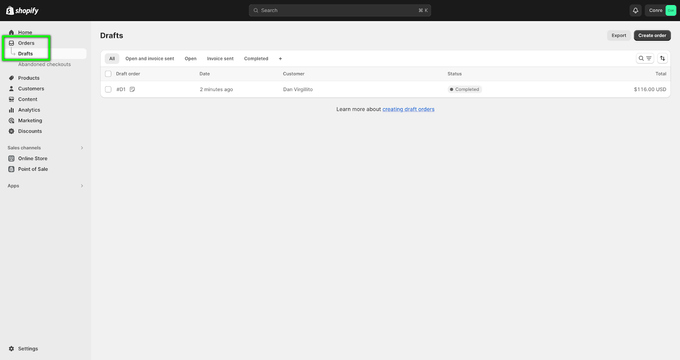
2. Click "Add a custom item"
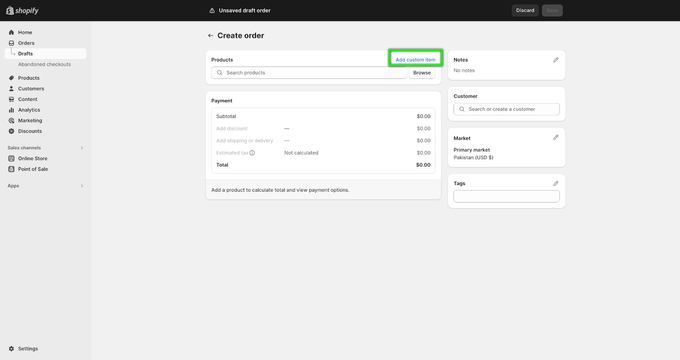
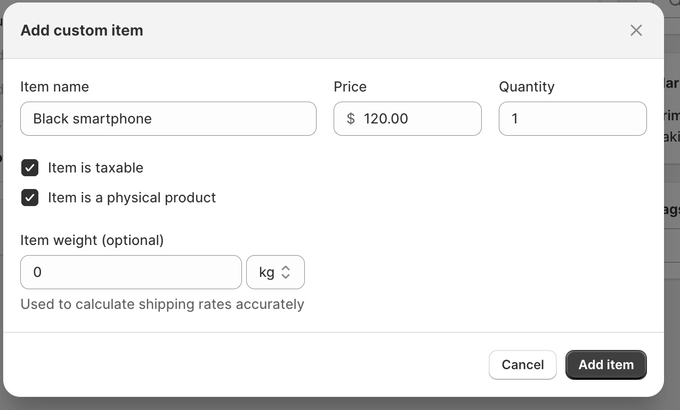
3. Enter the name and price of the item based on the customer’s request. For instance, if they opted for black as the color option for a smartphone, write "Black smartphone". Once done, click "Add item".
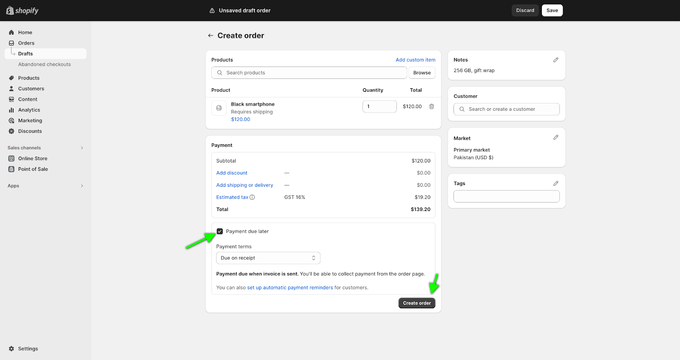
4. Attach the customer's name for easy recall and mark it as "due on receipt"
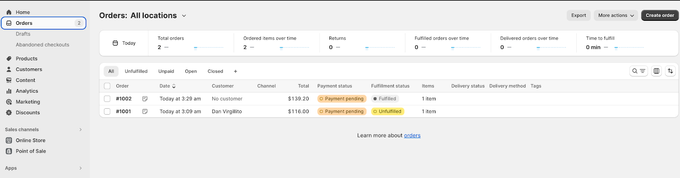
5. Find custom orders under "Main Orders" page for fulfillment
» Create a percentage discount for Shopify orders
Tips for Streamlining Custom Order Management
To efficiently handle high volumes of custom orders:
- Use a product customizer app to capture customer preferences
- Create order templates for frequently requested customizations
- Set up custom filters and fields for customer specs like size, color, etc.
- Assign custom orders to production teams based on specifications
With some planning and the right tools, you can fulfill custom orders profitably and keep customers satisfied.