Differences Between Shopify Sessions and Visitors Explained: How to Increase Shopify Store Traffic in 2024
Learn how to analyze these key metrics, optimize drop-off rates, and implement strategies to increase your Shopify store's traffic and engagement.




Published June 24, 2024.

Unlocking your e-commerce store's full potential relies on understanding the intricacies of visitors and sessions. These two metrics play a vital role in analyzing your store's performance, attracting more customers, and driving conversions.
To effectively analyze the performance of your e-commerce store, it's important to understand the difference between visitors and sessions. This knowledge will help you dispel any misconceptions and allow you to get valuable insights to optimize your website's traffic. Here's all you need to know about managing your visitors and sessions strategies to increase your Shopify store traffic.
» Discover how managing your inventory visibility can boost your Shopify sessions and visitors
Visitors & Sessions: Decoding the Jargon
Visitors, also known as unique visitors, are the number of individuals who access your website within a given timeframe. It represents the unique amount of people who visit your store, regardless of how many times they visit.
» Try real-time inventory synchronization for higher visitor engagement
Sessions represent the total number of interactions or visits made by users on your website. A session can include multiple visits from the same visitor. For example, if a repeat customer visits your store many times, each visit will count as a separate session but only as one unique visitor.
| Visitors vs Sessions Overview | |
|---|---|
| Visitors are unique individuals who access your website. | Sessions are the total number of interactions or visits made by a user. |
| Visitors represent the total number of people, regardless of the number of visits. | Sessions' purpose is to give information. You read to learn. |
| Each visitor is counted only once. | Sessions use text features such as a table of contents, glossary, index, labels, charts, photos, and graphs. |
» Keep customers on your site longer by hiding or pushing down out-of-stock products in real-time
Don't Overlook the Value of Shopify Analytics
One common misconception among online retailers is undervaluing the importance of analyzing website traffic. While they have access to this wealth of analytics, they don't take advantage of it. For example, some fail to set up proper analytics tools like Google Analytics, so they miss out on valuable insights.
However, investing time and effort in understanding your analytics can provide immense value to your brand. Even small improvements in key metrics can lead to significant growth, especially when you're dealing with high sales volumes.
» Take control of your Shopify store through automation
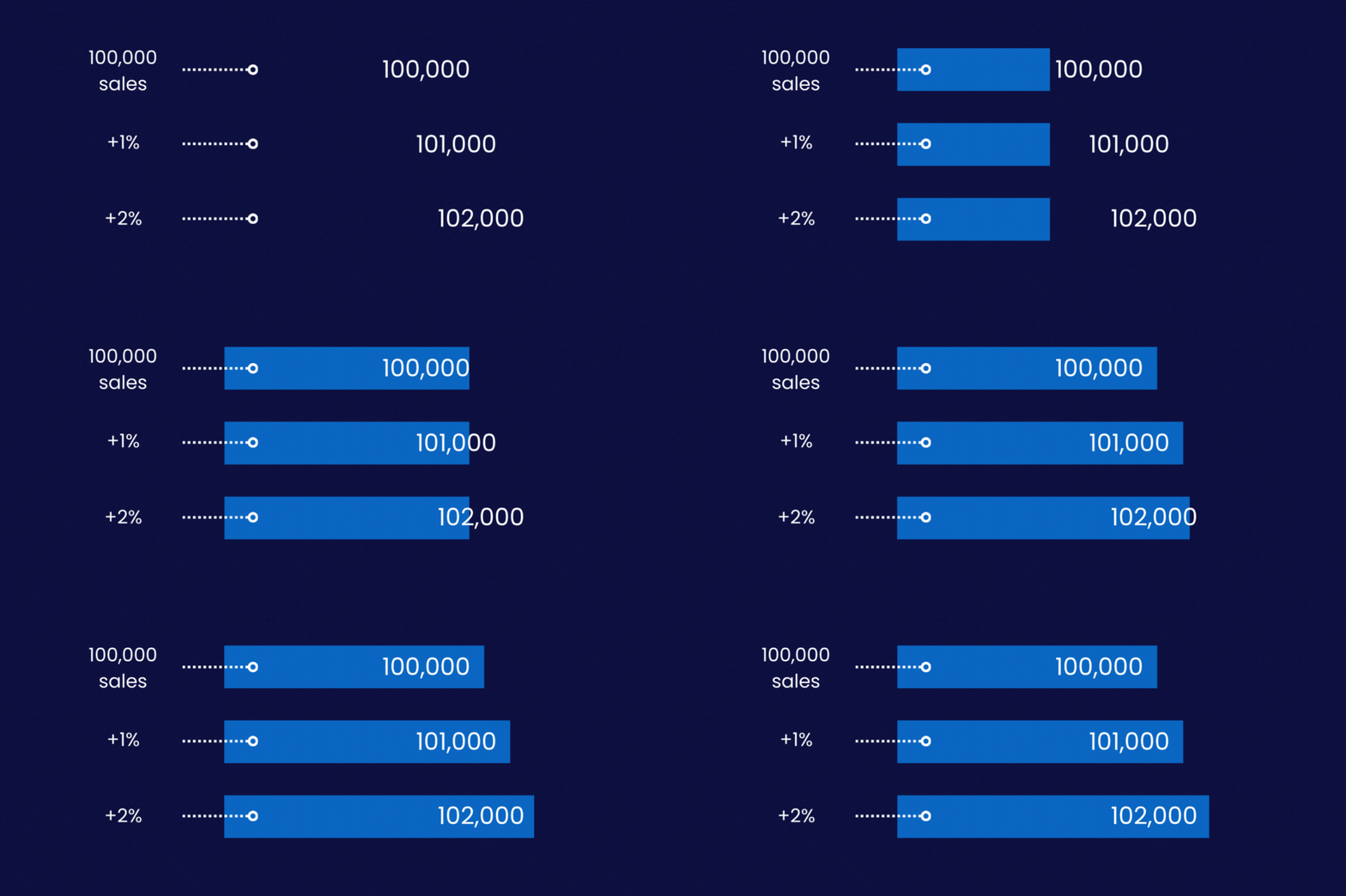
When 100,000 sales increase by just 1%-2%, the additional 1,000-2,000 sales can be massive for a company.
Key Metrics to Consider When Analyzing Visitors & Sessions
- Drop-off Rate It's important to understand where and why visitors leave your website. By identifying common drop-off points, you can optimize those areas to reduce bounce rates and improve conversions.
- Heatmap Analysis You can track visitor interactions on your website via heatmap applications like Hotjar. This visual representation helps identify where users click and provides valuable insights into their behavior.
- Search Metrics Assessing your website's search experience is crucial, particularly if you want to enhance organic traffic. Optimizing your products and pages for search engines is essential, as search plays a significant role in driving on-site conversions.
- Traffic Channels Analyzing the channels your visitors use to arrive at your site is essential. Setting up proper tracking with tools like Google Tags can help you determine the effectiveness of your social platforms, influencer programs, or affiliate marketing in driving traffic.
» Create automatic loyalty discounts to boost customer retention and attract more visitors
2 Strategies for Increasing Visitors to Shopify Store
1. Optimize for Organic Search
Making up 50% of your overall traffic, you can prioritize organic SEO by optimizing your website's pages, products, and images. Focus on building reputable backlinks and establishing a strong online presence to attract organic traffic.
» Generate test data with a single click for a smoother user experience and increased traffic
2. Strategize Paid Advertising
Depending on your brand's stage and industry, paid traffic can account for 15% of your website's traffic, so it's important to invest in platforms that align with your target audience.
Google Ads may work well for certain sectors, while social media advertising can be effective for others. Tailor your paid media strategy to reach the right audience on the right platforms.
Example | Selling Alcohol Directly to Customers
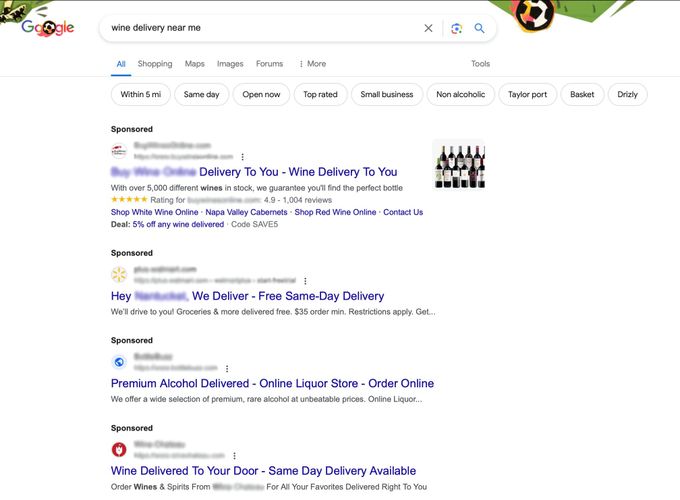
For businesses operating in the alcohol industry, the most effective paid traffic strategy typically centers around Google. Since consumers searching for alcohol delivery services are most likely to turn to search engines like Google, it makes sense to focus the bulk of your paid advertising efforts on search ads on platforms like Google Ads.
When people are seeking out wine, liquor, or other alcoholic beverages for delivery, they are far more inclined to query Google directly rather than explore social media channels like TikTok.
By optimizing your paid media strategy to align with this user behavior—targeting relevant Google searches like "wine delivery near me"—you can maximize the impact and return on your paid traffic investments.
Pro Tips to Increase Visitor Conversion Rates
One of the primary concerns for online retailers is getting their visitors to convert more. Make sure you offer a seamless customer experience by:
- Ensuring your website speed and navigation are optimal.
- Being transparent about shipping rates.
- Optimizing your product pages by using engaging visuals.
- Keeping mobile users in mind.
- A/B testing to try different methods.
» Edit product images quickly to attract more visitors and increase conversions.
2 Strategies for Increasing Sessions on Shopify Store
Enhancing the number of sessions on your Shopify store requires a dual-pronged approach focused on user experience and community building.
1. Cultivate an Engaging Customer Experience
Optimizing store sessions starts with creating an engaging and interactive customer experience. The ideal session should mirror a genuine conversation between your brand and the customer. This means:
- Establishing a clear, consistent brand voice that resonates with your core audience across your website.
- Delivering genuine value through your products, content, and interactions to keep customers engaged.
- Encouraging active participation, such as facilitating conversations, providing opportunities for user-generated content, and fostering a sense of community.
» Automatically sort collections to showcase bestsellers and enhance customer experience
2. Foster a Loyal Brand Community
Along with optimizing the individual session, you should work to build a thriving brand community that keeps customers coming back. Strategies to consider include:
- Leveraging email, social media, and other channels to cultivate ongoing customer relationships.
- Showcasing and celebrating your users, such as featuring them in your marketing and content.
- Creating exclusive experiences, content, or products that foster a sense of belonging.
By thoughtfully balancing the technical and experiential elements, you can transform casual visits into meaningful, long-term relationships that drive sustained growth in session metrics.
Example | Glossier: Making It About You
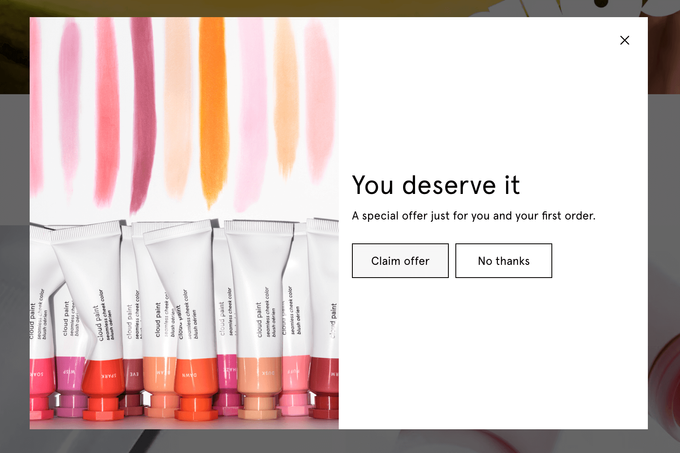
Glossier, an online retailer of beauty products, excels at deeply involving its customers with the brand. The company has strategically centered its entire community around the brand, repeatedly emphasizing this brand-customer connection throughout its website copy.
This approach helps Glossier foster a strong sense of belonging and loyalty among its core customer base.
» Learn more about using Shopify automated rewards apps to build customer loyalty


Glossier excels at involving its customers with the brand. Its website prominently features its buyers using Glossier products. The captions accompanying the imagery include the customer's name and the specific product they are wearing or using, such as "Shani wears Lip Gloss in Red."
This personalized approach helps create a sense of community and makes the customer the focal point of the brand's beauty philosophy.
» Find out more about customer loyalty discounts to find out if rewards lead to better retention


Harnessing the Potential of Visitors and Sessions: Takeaways for Online Retailers
By implementing strategies to increase visitors and improve store sessions, you can create a more captivating user experience, enhance conversion rates, and cultivate a loyal customer base.
But remember—there is no single, universal solution. Analyzing your traffic and optimizing your online store are ongoing processes that require balancing technical considerations and brand-building efforts.